Apple Studio Display vs Studio Display XDR (2026): Is the XDR Worth $1,700 More?
Apple Studio Display vs Studio Display XDR: mini-LED HDR, 120Hz, 140W charging, and the included stand versus $1,599. Who needs the $3,299 XDR and who does not.

Quick verdict: Buy the $1,599 Apple Studio Display if your work is text, code, spreadsheets, or SDR design. Buy the $3,299 Studio Display XDR only if you produce HDR video or photo work, need 120Hz, or want a 16-inch MacBook Pro fully powered from one cable. The XDR’s panel is better in every measurable way, but $1,700 buys features most desks never use.
We may earn a commission if you buy through our links.
Apple released both displays on March 11, 2026, and gave them the same name, the same size, and the same 5K resolution. That makes the choice look like a spec-sheet exercise. It is really a question about what you look at all day. Here is where the two differ, and where they do not.
What They Share
Both are 27-inch 5K Retina panels at 5120x2880, more than 14 million pixels, and about 218 pixels per inch, the density macOS scales for at exactly 2x. Text, interface elements, and SDR photos are drawn with the same number of pixels on both. Neither is sharper than the other.
Both have two Thunderbolt 5 ports and two USB-C ports, so either can be the hub for a MacBook Pro, a Mac mini, or a Mac Studio. Both have the 12MP Center Stage camera with Desk View, a three-mic array, and a six-speaker system. Both offer a VESA adapter option. Both support P3 wide color.

The Apple Studio Display (2026) is the one most people mean when they say Studio Display: 600 nits, SDR, a tilt-only stand in the box, and up to 96W charging, for $1,599 ($1,499 education).
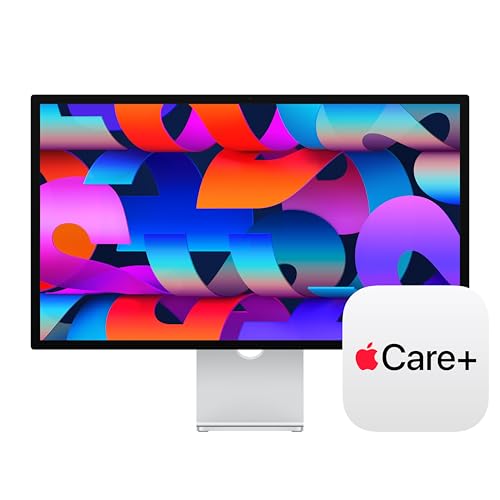
Apple Studio Display (2026)
$1,698.99 on Amazon (as of Sep 24, 2026) · Price and availability may change.
The Apple Studio Display XDR takes the same chassis and puts a mini-LED backlight behind it, adds 120Hz, raises charging to 140W, and includes the height-adjustable stand, for $3,299 ($3,199 education).

Apple Studio Display XDR
$3,249.99 on Amazon (as of Sep 24, 2026) · Price and availability may change.
Where the XDR Wins
HDR and contrast. The XDR’s mini-LED backlight has 2,304 local dimming zones, which lets it push 1000 nits across the full screen in SDR and 2000 nits peak in HDR while holding blacks close to off. Apple rates contrast at 1,000,000:1. The base display is a conventional 600-nit backlight with no zones, so its blacks are grey in a dark room and it cannot display HDR content as intended. For grading, HDR photo editing, or reviewing HDR deliverables, this is the entire reason the XDR exists.
120Hz. The XDR refreshes at 120Hz. The base model’s refresh rate is not stated by Apple; we assume 60Hz. On the XDR, scrolling, window dragging, and cursor motion match a MacBook Pro’s own ProMotion screen. On the base display they are a visible step down from the laptop. This matters more than people expect if you spend the day next to a 120Hz laptop panel, and less than gamers expect, since the display is still built for Mac work rather than PC gaming.
140W charging. The XDR delivers up to 140W over Thunderbolt 5, enough to run a 16-inch MacBook Pro at full load with no separate charger. The base display’s 96W covers a 14-inch fully and a 16-inch at rest.
The stand is included. The XDR ships with the tilt- and height-adjustable stand. On the base display that stand is an extra-cost option, as is the VESA adapter. If you would have paid for the height stand anyway, the real price gap between the two displays is narrower than $1,700, though we could not confirm Apple’s exact 2026 stand pricing.
Spatial Audio. Apple lists Spatial Audio for the XDR’s six-speaker system. The base display’s speakers are improved over 2022 with 30 percent deeper bass, and we have not seen Apple specify a difference in speaker hardware beyond that.
Where the Base Studio Display Wins
Price. $1,599 versus $3,299. The difference buys a new Mac mini with money left over, or the XDR’s entire margin over a Samsung Odyssey G8 G80HF 5K plus a good Thunderbolt dock.

It is enough for text. Code, documents, email, spreadsheets, browsers, and SDR design all render identically on both panels. 600 nits is more than most offices need; many people run the base display well under half brightness. If nothing on your screen is HDR, the XDR’s dimming zones sit idle.
Same connectivity. Two Thunderbolt 5 and two USB-C ports on both. The base display docks a Mac just as well; the only difference in that job is the charging ceiling.
Same camera, mics, and core speaker layout. Desk View, Center Stage, and the three-mic array are on both. For video calls, nothing changes with the XDR.
Who Each Display Is For
Developers, writers, analysts, and most office users. The base Studio Display. You get the 5K sharpness that makes text easier to read for eight hours, the one-cable dock, and the camera and speakers. Order it with the VESA adapter or the height stand rather than the tilt-only default, and you are done. The 120Hz is the only XDR feature you might miss, and it is not a $1,700 feature for a text editor.
Video editors, colorists, and HDR photographers. The XDR. Mini-LED with 2,304 zones, 2000 nits peak, and 1,000,000:1 contrast is what makes an HDR timeline trustworthy. Add 140W charging for a 16-inch MacBook Pro and the included stand, and the price is reasonable next to what a dedicated HDR reference monitor costs.
Designers working in SDR. The base display, unless clients are asking for HDR deliverables. P3 color and 5K density are on both. Spend the difference on a colorimeter.
Mac mini and Mac Studio owners. Either, based on the work. A new Mac Studio with M5 Max or Ultra and Thunderbolt 5 up to 120Gb/s pairs naturally with the XDR for a creative desk, and with the base display for a developer desk. Charging wattage is irrelevant to a desktop.
Anyone who games on the same desk. Neither, or the XDR with reservations. At 120Hz the XDR is a competent gaming display for Mac titles. But a Samsung G80HF gives you 5K at 165Hz for $950 with HDMI 2.1 for a console or PC, which no Apple display offers.
Alternatives Worth Considering
If the XDR’s HDR appeals but the price does not, third-party mini-LED and OLED monitors at 4K cost far less. You give up 5K density and the Apple camera and speakers, and our OLED monitor guide covers the best of them. If the base display appeals but $1,599 is too much, the Samsung G80HF at $950 or a used 2022 Studio Display delivers the same 5K sharpness with different compromises; see our 5K monitor roundup. If you want more space at Retina density, the LG 32U990A brings 32-inch 6K over Thunderbolt 5 for $2,000 when it ships.
Bottom Line
The Studio Display XDR is the better monitor. It is not the better buy for most people. Its advantages, mini-LED HDR, 120Hz, 140W, and the included stand, all serve creative professionals whose output is HDR video or photography, or whose 16-inch MacBook Pro needs full power from one cable.
For everyone else on a Mac, the $1,599 Studio Display shows the same 5K text at the same sharpness with the same ports, camera, and speakers. Buy that, choose the VESA adapter, and keep $1,700.
Recommended Gear
Products we've reviewed that fit this guide. We may earn a commission if you buy through our links.


Frequently Asked Questions
- What is the difference between the Studio Display and the Studio Display XDR?
- Both are 27-inch 5K Retina displays with two Thunderbolt 5 ports, two USB-C ports, a 12MP Center Stage camera, three mics, and six speakers. The XDR adds a mini-LED backlight with 2,304 dimming zones, 1000 nits sustained and 2000 nits peak HDR, 1,000,000:1 contrast, 120Hz, 140W charging, and an included height-adjustable stand. It costs $3,299 versus $1,599.
- Is the Studio Display XDR worth it for programming?
- No. Code, terminals, and documentation are SDR content, and both displays render them at the same 5K resolution and pixel density. The XDR's 120Hz makes scrolling smoother, which some developers value, but that is a $1,700 upgrade for smoother cursor movement. Buy the base Studio Display and spend the difference elsewhere.
- Does the Studio Display XDR fully charge a 16-inch MacBook Pro?
- Yes. The XDR delivers up to 140W over Thunderbolt 5, matching the 16-inch MacBook Pro's included adapter. The base Studio Display tops out at 96W, which keeps a 16-inch charged at rest but drains it slowly under sustained heavy load. For a 14-inch MacBook Pro, 96W from either display is enough.
- Does the base Studio Display have HDR or 120Hz?
- No. The 2026 Studio Display is a 600-nit SDR panel with no local dimming, and Apple does not list a refresh rate, so assume 60Hz. Both features are exclusive to the XDR model. If you need either one, the base display is the wrong choice regardless of price, and the XDR or a third-party mini-LED or OLED monitor is the answer.
- Is the Studio Display XDR a replacement for the Pro Display XDR?
- In practice, for most buyers, yes. It offers mini-LED HDR with 2000 nits peak, 1,000,000:1 contrast, and Thunderbolt 5 at 27 inches for $3,299, far less than the 32-inch Pro Display XDR cost with its stand. Studios that need 32 inches or specific reference modes should compare Apple's current lineup before assuming the new model covers every case.
Related Guides

Is the Apple Studio Display (2026) Worth It? Studio Display vs XDR vs Cheaper 5K Rivals
Is the 2026 Apple Studio Display worth $1,599? What changed from 2022, when the $3,299 XDR makes sense, and the 5K rivals from Samsung and LG that cost less.

Best Monitor for MacBook Pro in 2026: 5K, 6K, and 4K USB-C Picks
The best monitors for MacBook Pro in 2026. Top pick: the new Apple Studio Display. Covers 5K vs 4K scaling, Thunderbolt 5 charging, and M-series display limits.

Mac mini M6 Desk Setup Guide (2026): Monitors, Docks, Stands, and Accessories
How to build a Mac mini M6 desk setup in 2026: the best monitor, dock, keyboard, stand, webcam, and lighting, with Thunderbolt 4 vs 5 notes and three builds.

Best 5K and 6K Monitors in 2026: Studio Display, Samsung G80HF, LG 6K and More
The best 5K and 6K monitors in 2026, from the $950 Samsung G80HF at 165Hz to the Apple Studio Display XDR. Covers macOS scaling, Dual Mode, and DP 2.1.
Setup Inspiration
All setups →
Budget Student Setup Under $400
A complete student desk setup for under $400 that handles studying, online classes, and casual browsing. Proof that great setups don't need huge budgets.
Total: $385

RGB Gaming Battle Station with Dual Monitors
A fully loaded gaming setup with dual monitors, custom mechanical keyboard, and tasteful RGB lighting. Built for competitive gaming and weekend streaming.
Total: $2,400

Grovemade Desk Setup: Premium Wood Accessories Build
A desk setup anchored by Grovemade walnut wood accessories: shelf, keyboard tray, and desk pad. Built around quality materials and an intentional aesthetic. Total cost: $2,120.
Total: $2,120