Best OLED Monitors for a Desk Setup in 2026: 4K 240Hz, Ultrawide, and Budget Picks
The best OLED monitors for a desk setup in 2026, from 27-inch 4K 240Hz to 49-inch ultrawide. Top pick: Alienware AW2725Q. Covers burn-in, text clarity, ports.

Quick picks: Best overall: Alienware AW2725Q | Best premium 4K 240Hz: ASUS ROG Swift PG27UCDM | Best value 4K 240Hz: MSI MPG 272URX | Best for esports: LG UltraGear 27GX790A | Best ultrawide: Samsung Odyssey OLED G9 | Best budget ultrawide: Alienware AW3423DWF
We may earn a commission if you buy through our links.
OLED went from a gaming luxury to a real desk monitor option in the last two years. The 27-inch 4K 240Hz panels fixed the text problem, the three-year burn-in warranties fixed the trust problem, and prices dropped. The Alienware AW2725Q is the pick for most desks: the same 4K 240Hz QD-OLED panel as monitors costing more, with a burn-in warranty and a price that stayed sane.
What to Look For
Panel type and subpixel layout. QD-OLED (Samsung Display) uses a triangular RGB subpixel pattern. WOLED (LG Display) uses an RWBG stripe. Neither matches the standard RGB stripe that Windows ClearType assumes, so small text shows faint color fringing. On the 27-inch 4K QD-OLED panels, the pixel density is 166 PPI and the fringing is hard to spot. On 1440p 27-inch panels at 109 PPI, it is visible. macOS uses grayscale anti-aliasing, so the effect is milder there.
Burn-in protection and warranty. Every monitor here runs pixel shift, periodic pixel refresh cycles, and static-element dimming. The difference is the warranty. Alienware, ASUS, MSI, and Samsung cover burn-in for three years on their current OLEDs. LG covers it for two on the UltraGear line. Treat the warranty as the real spec.
Brightness for office use. Full-screen SDR brightness lands around 250 nits on these panels. HDR peaks of 1,000 nits only apply to small windows. Automatic brightness limiting also dims the screen when most of it is white. In a normal room this is fine. Next to a bright window, an IPS panel is the better tool.
Ports and bandwidth. 4K at 240Hz needs Display Stream Compression over DisplayPort 1.4 or HDMI 2.1. DisplayPort 2.1 UHBR20 (80Gbps) runs it uncompressed, but only with a GPU that has a DP 2.1 output. Consoles use HDMI 2.1 and top out at 4K 120Hz. A USB-C input with power delivery is a bonus for laptop users.
How you actually use the desk. OLED is a poor fit for someone who stares at the same spreadsheet grid, code editor, or trading dashboard for eight hours a day, every day. Static, high-contrast UI is exactly what wears pixels unevenly. If that is your workload, buy an IPS or mini-LED panel and skip this list.
Best Overall: Alienware AW2725Q
The Alienware AW2725Q is a 27-inch 3840x2160 QD-OLED at 240Hz. Text is sharp at 166 PPI. Motion is clean with 0.03ms response. It launched around $899, which undercut the other 4K 240Hz QD-OLEDs by a couple hundred dollars, and it has stayed the cheapest way into this panel class. Check the current price.

Alienware AW2725Q
$504.23 on Amazon (as of Sep 24, 2026) · Price and availability may change. Read our review
Inputs are DisplayPort 1.4 with DSC and two HDMI 2.1 ports, plus a USB hub. No DisplayPort 2.1, which is the main thing you give up against the ASUS and MSI below. Dell’s three-year warranty covers burn-in, and the monitor runs its own pixel maintenance cycles without nagging you.
The stand is compact and the design is plainer than older Alienware monitors. There is no USB-C video input, so laptop users need a separate cable for video and charging. For a gaming-first desk that also handles work, this is the balance of price and panel that most people should buy.
Best Premium 4K 240Hz: ASUS ROG Swift PG27UCDM
The ASUS ROG Swift PG27UCDM uses the same 27-inch 4K 240Hz QD-OLED panel and adds the ports the Alienware lacks. It has DisplayPort 2.1 UHBR20 for uncompressed 4K 240Hz, two HDMI 2.1 ports, and a USB-C input with 90W power delivery. A built-in KVM switches keyboard and mouse between two computers.

ASUS ROG Swift PG27UCDM
$1,099.00 on Amazon (as of Sep 24, 2026) · Price and availability may change.
ASUS fits a custom heatsink behind the panel and includes a proximity sensor that blanks the screen when you walk away. Both are burn-in mitigations that work without user input. The warranty covers burn-in for three years.
The price was around $1,099 at launch, roughly $200 over the Alienware for the same picture. That premium buys the DP 2.1 port, USB-C single-cable laptop use, and the KVM. If you run a laptop and a desktop on one desk, that is worth paying for. If you have a desktop only, the AW2725Q is the smarter spend.
Best Value 4K 240Hz: MSI MPG 272URX
The MSI MPG 272URX matches the ASUS on the important specs: 27-inch 4K 240Hz QD-OLED, DisplayPort 2.1 UHBR20, two HDMI 2.1, USB-C with power delivery (rated around 98W), and a KVM. MSI’s street price has consistently sat below the ASUS, often close to the Alienware. Check the current price before deciding between the three.

MSI MPG 272URX
$799.99 on Amazon (as of Sep 24, 2026) · Price and availability may change.
MSI’s OLED Care suite handles pixel shift, refresh cycles, taskbar and logo detection, and boundary dimming for multi-window layouts. The burn-in warranty is three years. The on-screen menu is less polished than ASUS or Dell, and firmware updates need a USB flash drive on some units. Minor irritations against a monitor that gives you DP 2.1 and USB-C at a lower price.
Best for Esports: LG UltraGear 27GX790A
The LG UltraGear 27GX790A is a 27-inch 2560x1440 WOLED at 480Hz. It is built for one job: competitive shooters at very high frame rates. Motion clarity at 480Hz with 0.03ms response is the best you can get on a desk.
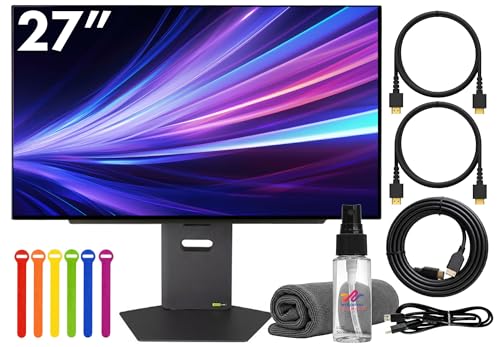
LG UltraGear 27GX790A
$714.95 on Amazon (as of Sep 24, 2026) · Price and availability may change.
Connectivity is DisplayPort 2.1 UHBR13.5, two HDMI 2.1, and USB-C with power delivery. LG’s warranty covers burn-in for two years, a year short of the QD-OLED brands.
The trade-off is text. At 1440p on 27 inches, pixel density is 109 PPI, and the RWBG subpixel layout shows fringing around small fonts. Fine for gaming, playable for casual browsing, not the monitor to write on all day. It launched around $999. Buy this if you play Valorant, CS2, or Overwatch competitively. Buy a 4K 240Hz panel for anything else.
Best Ultrawide: Samsung Odyssey OLED G9
The Samsung Odyssey OLED G9 is a 49-inch 5120x1440 QD-OLED at 240Hz with an 1800R curve. It replaces two 27-inch 1440p monitors with a single panel and no center bezel. For sim racing, flight sims, and wide timelines, nothing else on this list comes close.

Samsung Odyssey OLED G9
$1,205.94 on Amazon (as of Sep 24, 2026) · Price and availability may change. Read our review
Inputs include HDMI 2.1 and DisplayPort 1.4, and the monitor runs Samsung’s Tizen smart TV platform with streaming apps built in. Two model years exist: the original G93SC and the newer G95SD with an anti-glare coating. Samsung extended its OLED burn-in coverage to three years on recent models. Confirm the coverage on the exact model number before you buy.
Pixel density is 109 PPI, so text has the same fringing caveat as the LG. It needs a desk at least 120cm wide and a GPU that can feed 7.3 million pixels. Launch price was over $2,000; it has sold for far less since. Check the current price.
Best Budget Ultrawide: Alienware AW3423DWF
The Alienware AW3423DWF is the 34-inch 3440x1440 QD-OLED at 165Hz that made OLED monitors mainstream. It is an older panel generation, but the fundamentals hold: perfect blacks, 0.1ms response, and an 1800R curve that fits a normal desk.

Alienware AW3423DWF
$709.99 on Amazon (as of Sep 24, 2026) · Price and availability may change.
Ports are DisplayPort 1.4 and two HDMI 2.0, which caps consoles and HDMI-connected PCs at 100Hz. The three-year warranty covers burn-in. Full-screen brightness is lower than the newer panels, and the first-generation QD-OLED shows more text fringing than the 4K models.
It launched at $1,099 and now regularly sells for far less. A newer 240Hz successor, the AW3425DW, exists at a higher price. If you want an OLED ultrawide for gaming and light work without spending four figures, this is the one.
What to Skip
Skip any 27-inch 1440p QD-OLED from 2023 for a desk you also work at. The first-generation panels at 109 PPI show the worst text fringing of the bunch, and the 4K models have replaced them at similar prices.
Skip OLED entirely if your day is a static grid: spreadsheets, terminals, trading screens, or a CAD viewport with a fixed toolbar. No pixel-shift routine fully protects against eight hours of the same bright UI, and warranty claims take weeks. A good IPS or mini-LED monitor will serve that desk better.
Skip a monitor without a burn-in warranty. Some cheaper brands sell the same panels with a standard one-year warranty that excludes image retention. The savings are not worth it.
Bottom Line
The Alienware AW2725Q is the OLED monitor most people should buy. It has the best-in-class 4K 240Hz QD-OLED panel, a three-year burn-in warranty, and the lowest price in its class. Step up to the ASUS ROG Swift PG27UCDM or MSI MPG 272URX if you need DisplayPort 2.1 or USB-C single-cable laptop use. The LG UltraGear 27GX790A is for competitive gamers only. The Samsung Odyssey OLED G9 replaces dual monitors with one panel, and the Alienware AW3423DWF is the affordable way into OLED ultrawide.
Recommended Gear
Products we've reviewed that fit this guide. We may earn a commission if you buy through our links.


Frequently Asked Questions
- Is OLED burn-in still a problem on monitors in 2026?
- It is a managed risk, not a solved one. Current QD-OLED and WOLED monitors run pixel shift, automatic pixel refresh cycles, and logo or taskbar dimming. Most major brands now back that with a three-year warranty that covers burn-in. Mixed use with dark mode and a screensaver keeps most owners out of trouble.
- Are OLED monitors good for text and office work?
- The 27-inch 4K QD-OLED panels are good enough that most people will not notice fringing at 166 PPI. Older 1440p QD-OLED and WOLED panels show color fringing around small text because their subpixel layouts differ from the RGB stripe Windows expects. All-day static spreadsheets remain a poor fit for any OLED.
- Do I need DisplayPort 2.1 for a 4K 240Hz OLED monitor?
- No. DisplayPort 1.4 with Display Stream Compression drives 4K at 240Hz with no visible quality loss, and HDMI 2.1 does the same. DisplayPort 2.1 UHBR20 only avoids compression. It matters if you own a GPU with a DP 2.1 output and want uncompressed signal, or plan to keep the monitor through several GPU upgrades.
- How bright are OLED monitors compared to LCD for daytime use?
- Full-screen brightness on current OLED monitors sits around 250 nits in SDR, roughly half of a good IPS panel. That is fine in a normal room. Against a sunlit window, an OLED looks dim and the glossy coating reflects. HDR peaks of 1,000 nits only apply to small highlights, not a white document.
- Is a 27-inch 4K OLED or a 34-inch ultrawide OLED better for a desk?
- The 27-inch 4K is sharper for text and fits a standard desk with room for a second screen. The 34-inch ultrawide replaces two monitors with one and suits games, timelines, and wide code editors. Pick 4K if productivity dominates. Pick ultrawide if gaming and immersion come first and you have the desk width.
Related Guides

Best Monitors for Your Desk Setup in 2026
The best monitors for home office and gaming desk setups in 2026. Covers 4K, ultrawide, 1440p, and budget options with clear recommendations by use case.

How to Set Up Dual Monitors: The Complete Step-by-Step Guide
How to connect, configure, and position dual monitors for a productive desk setup. Covers Windows, macOS, monitor arms, and cable management.

How to Build a Triple Monitor Setup: Everything You Need to Know
A complete guide to building a triple monitor setup: GPU requirements, mount options, cable types, and the best monitor combinations for trading, coding, and gaming.

Best Monitor Arms in 2026: Single, Dual, and Ultra-Heavy Builds
The best monitor arms in 2026 for single and dual monitor setups. Covers the Ergotron LX, VIVO options, and heavy-monitor solutions.
Setup Inspiration
All setups →
Ultrawide Productivity Setup: One Monitor to Rule Them All
A single ultrawide monitor productivity setup that replaces dual monitors without the bezel. Built for developers, writers, and power users. Total cost: $1,430.
Total: $1,430

Clean Minimal Developer Setup with Ultrawide Monitor
A distraction-free developer workspace featuring an ultrawide monitor, mechanical keyboard, and standing desk. Perfect for focused coding sessions.
Total: $1,850

Programmer Dark Mode Setup with Ultrawide and Mechanical Keyboard
A dark mode programmer setup with a 34-inch ultrawide, Keychron Q1 Pro, and bias lighting designed for long late-night coding sessions. Total cost: $1,320.
Total: $1,320