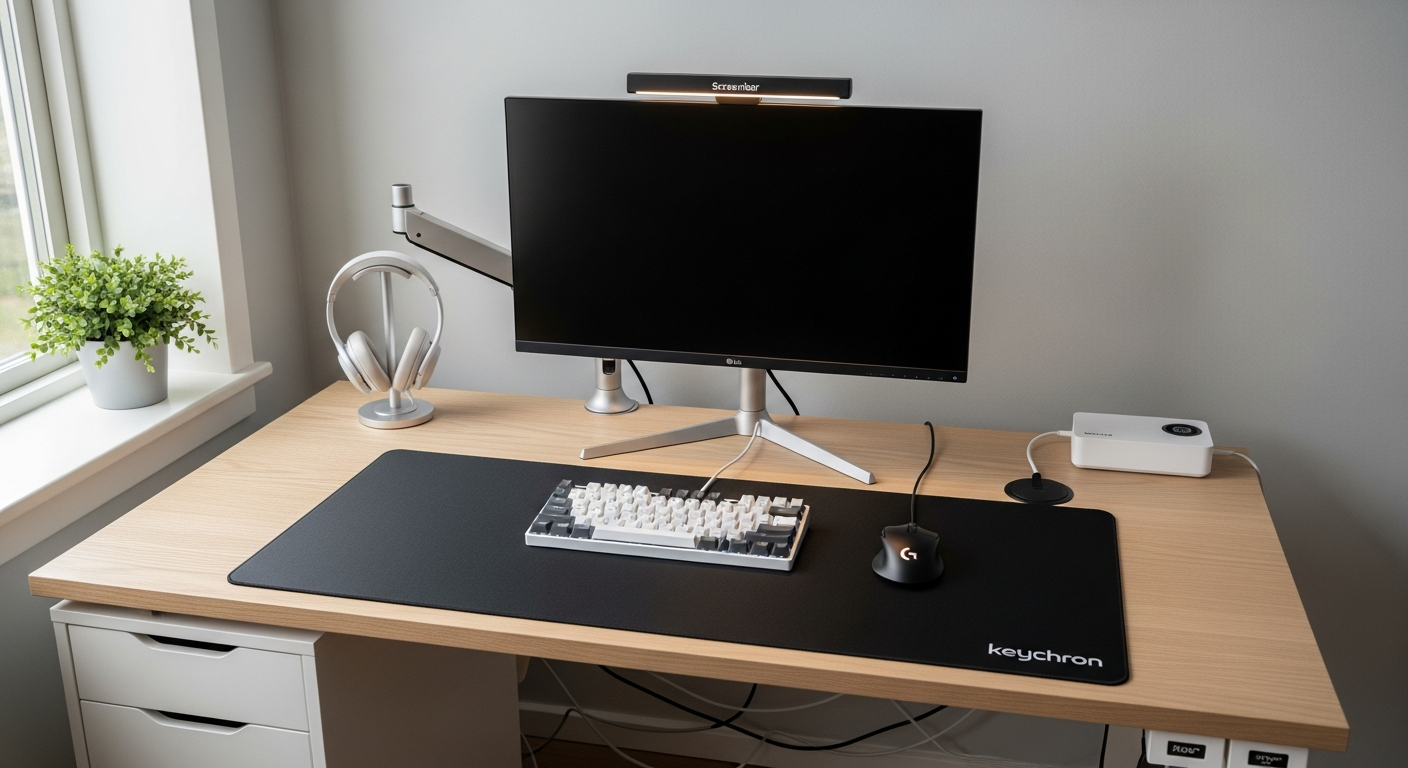
Fully Wireless Desk Setup: No Cable in Sight
A fully wireless desk setup with Bluetooth peripherals, wireless charging, and a single power cable to the whole desk. Built for a clean surface and easy reconfiguration. Total cost: $1,450.
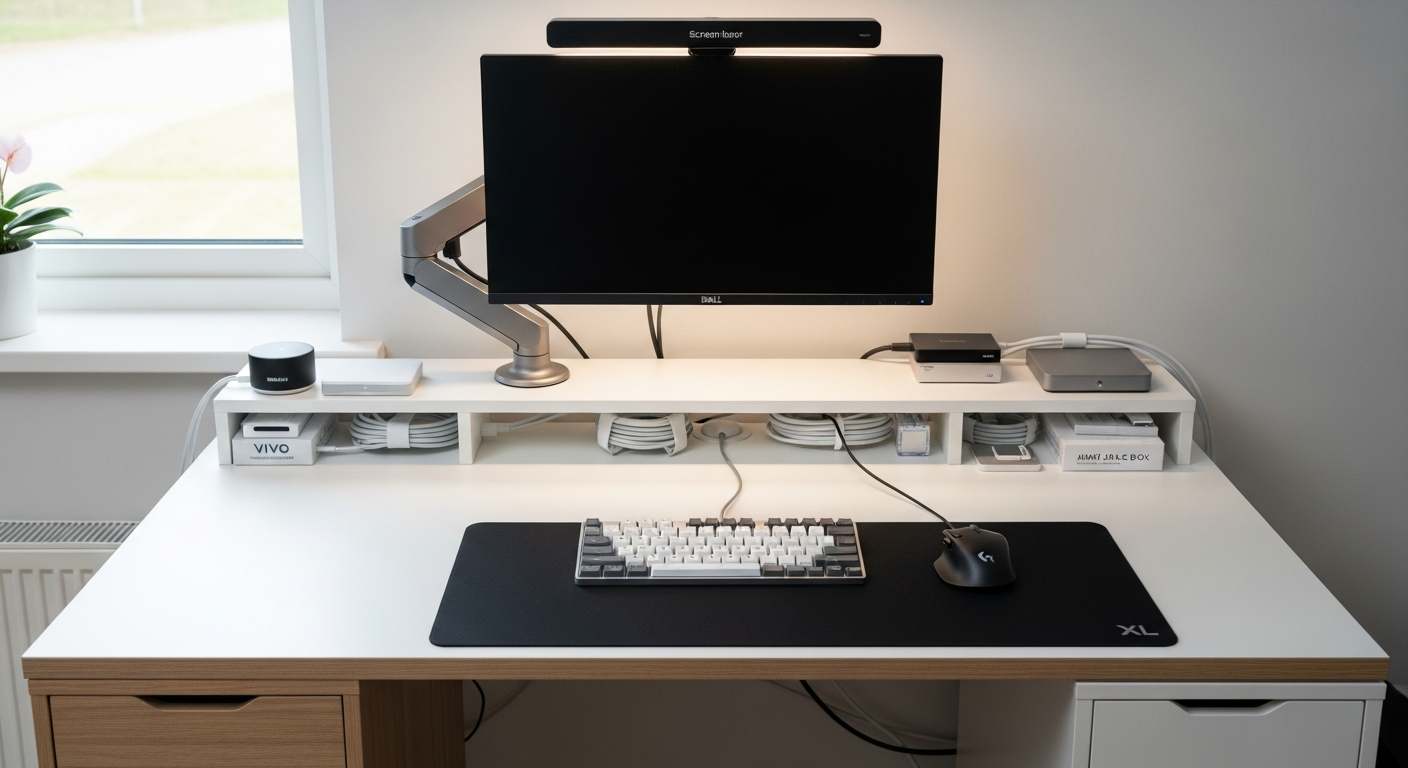
This setup is built around one constraint: no visible cables on the desk surface. I wanted to sit down, open my laptop, and see a clean workspace. After testing several approaches, I found a system that works. Total cost is $1,450.
We may earn a commission if you buy through our links.
The Strategy: Wireless Peripherals Plus Hidden Power
The approach has three layers. First, all peripherals use Bluetooth. Second, the power strip mounts under the desk. Third, the single monitor cable runs hidden along the desk leg into the under-desk tray. The only visible cable from the front is nothing. From the side, a single leg-run cable connects the desk to the wall. That’s acceptable.
The IKEA KARLBY Desk with Alex Drawers at $319 is the base. The KARLBY walnut surface is deep enough at 25 inches to push the monitor back while still using a wireless keyboard and mouse comfortably. The ALEX drawer unit hides the laptop when in clamshell mode.
The Monitor and Arm: Dell U2723DE ($479) and Ergotron LX ($55)
The Dell U2723DE Monitor handles the single-cable connection. Its USB-C port with 90W power delivery charges the laptop while delivering the display signal. One cable from the monitor to the laptop. That cable runs down the monitor arm, along the desk leg, and into the under-desk tray. The Monitor Arm Ergotron LX routes cables internally through the arm column. This is the cleanest way to mount a monitor.
Wireless Peripherals: Keychron Q1 Pro ($199) and MX Master 3S ($99)
The Keychron Q1 Pro Wireless Keyboard connects over Bluetooth 5.1. No dongle. No cable. The battery lasts weeks on a single charge. The Logitech MX Master 3S Wireless Mouse uses Logitech’s Bolt receiver, which I plug into the back of the monitor’s USB hub. One tiny receiver, never touched after setup. Bluetooth latency on both peripherals is under 1ms for typing and under 4ms for mouse movement. In practice, the difference from wired is undetectable for productivity work.
The Belkin BoostCharge Pro Wireless Charger at $59 sits in the front corner of the desk. My phone charges there throughout the day. No phone charging cable on the surface.
Hidden Power: Mountable Surge Protector and Cable Tray
The Mountable Surge Protector at $34 screws to the underside of the KARLBY desk. It holds the monitor power brick, laptop charger, and ScreenBar power. The VIVO Under Desk Cable Tray at $19 catches all cable slack. Velcro Cable Ties at $10 bundle the cables into a single run. Adhesive Cable Clips route that single run along the desk leg to the wall. From the front, nothing is visible. From underneath, the cables are tidy and labeled.
The BenQ ScreenBar clips to the top of the monitor and powers via the monitor’s USB-A port. No separate power cable to the desk.
What I’d Change
The Anker USB-C Hub handles overflow connectivity but runs warm under load. A proper Thunderbolt dock mounted under the desk would be more reliable and would eliminate the hub from the visible surface entirely. Bluetooth can occasionally drop connection if there are many 2.4GHz devices nearby. I experienced this once during a video call. Logitech’s Bolt receiver solves the mouse drop issue, but the keyboard is pure Bluetooth. In high-interference environments, a wired keyboard is more reliable.
Gear in This Setup
IKEA KARLBY Desk with Alex Drawers
$319
Dell U2723DE Monitor
$479
Keychron Q1 Pro Wireless Keyboard
$199
Logitech MX Master 3S Wireless Mouse
$99
Belkin BoostCharge Pro Wireless Charger
$59
Anker 7-in-1 USB-C Hub
$49
BenQ ScreenBar
$63
VIVO Under Desk Cable Tray
$19
Cable Clips Adhesive Pack
$8
Velcro Cable Ties 100-Pack
$10
Mountable Surge Protector
$34
Black Desk Mat XL
$35
Mini Cable Box
$22
Monitor Arm Ergotron LX
$55