Music Producer Desk Setup with Audio Interface and Studio Monitors
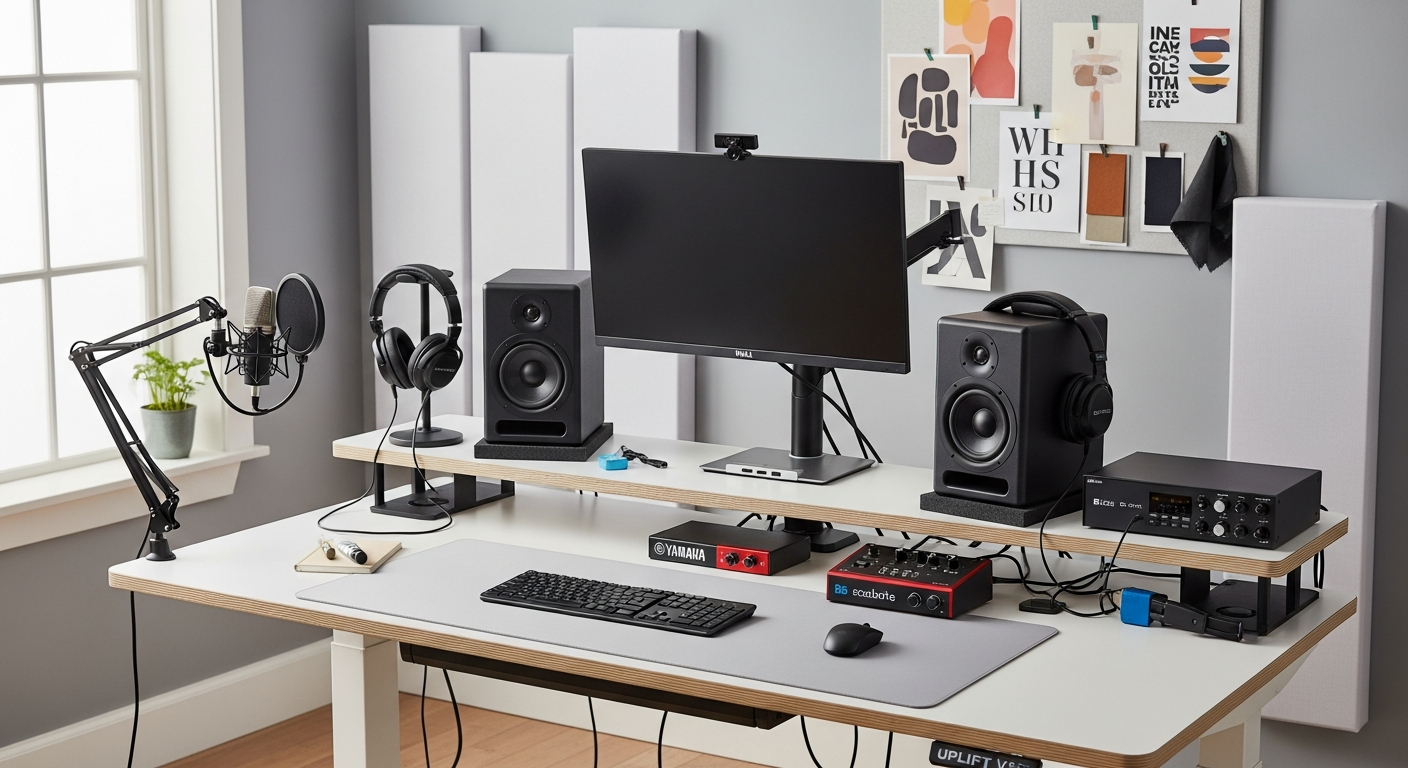
A music production desk setup with audio interface, studio monitors, MIDI keyboard, and a wide desk surface for gear. Total cost: $2,690.
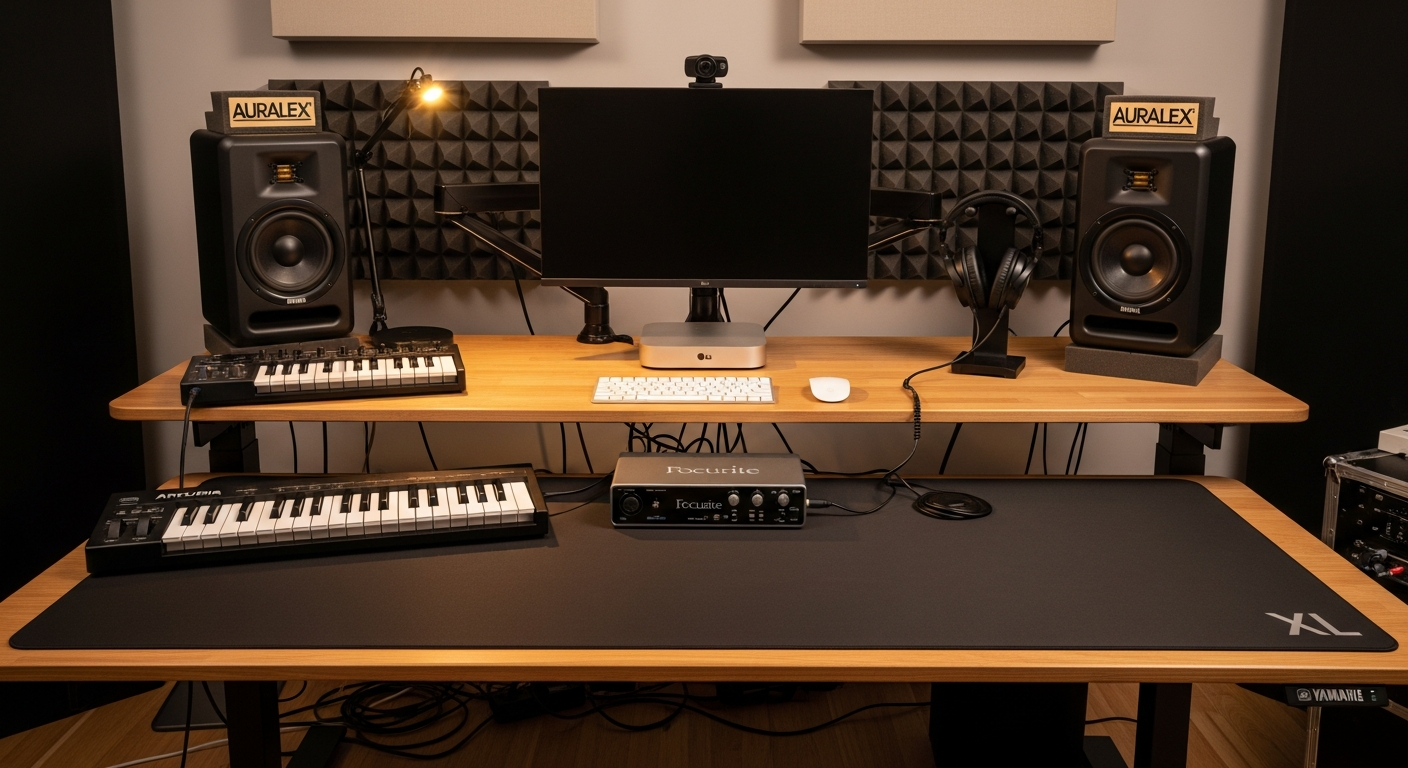
This setup is built for music production. Everything on this desk serves the workflow: writing, recording, mixing, and mastering. The gear layout took months to finalize. The wide desk, proper monitor placement, and acoustic treatment make the difference between a desk that looks like a studio and one that actually sounds like one. Total cost is $2,690.
We may earn a commission if you buy through our links.
The Desk: UPLIFT V2 Standing Desk 72-inch at $899
I chose the UPLIFT V2 Standing Desk 72-inch for the sheer surface width. A MIDI keyboard, audio interface, display, headphone stand, and small accessories all need to coexist on this surface. The 72-inch width accommodates the Arturia KeyLab Essential 49 MIDI on the left, the Mac Mini behind the monitor, and still leaves center space for the Focusrite interface. A 60-inch desk doesn’t work for this layout. I tried it first.
The standing function is secondary for production work. I mostly sit during mixing. But for live session recording where I’m playing the MIDI keyboard standing up, the adjustable height is genuinely useful.
The Audio Interface and Monitors: Focusrite Scarlett 2i2 ($169) and Yamaha HS5 ($399)
The Focusrite Scarlett 2i2 Audio Interface is the industry standard entry-level interface. 24-bit/192kHz recording, low-latency monitoring, and two combo XLR inputs cover all standard production needs. The preamps are clean enough for recording vocals and acoustic instruments. The USB connection feeds directly into Logic Pro or Ableton without driver issues on Mac.
The Yamaha HS5 Studio Monitor (Pair) are the monitors I trust for mixing. The HS5 is a near-field reference monitor, not a consumer speaker. The sound is flat and accurate. Bass is honest. If a mix sounds good on HS5s, it translates to other playback systems reliably. The Monitor Speaker Isolation Pads at $29 sit between the monitors and the desk surface. Without isolation pads, desk vibration colors the low end. These pads eliminate that problem entirely.
MIDI and Headphones: Arturia KeyLab 49 ($179) and Sennheiser HD 650 ($299)
The Arturia KeyLab Essential 49 MIDI gives me 49 keys and 8 pads. The 49-key size is the minimum for comfortable octave-span playing. Smaller MIDI controllers feel cramped for melodic work. The KeyLab connects via USB and integrates with Arturia’s Analog Lab library. The 8 drum pads handle beat programming without reaching for a separate pad controller.
The Sennheiser HD 650 Headphones are the reference headphones for late-night mixing when speakers aren’t an option. The open-back design provides a wide soundstage that closed-back headphones can’t replicate. They connect to the Scarlett 2i2’s headphone output. The HD 650 requires power to drive properly. The Scarlett’s headphone amp handles it without a separate headphone amplifier at this price point.
The Computer: Apple Mac Mini M2 Pro at $599
I chose the Apple Mac Mini M2 Pro for its combination of performance and silence. It sits behind the monitor on the desk. The M2 Pro chip handles Logic Pro projects with 50+ tracks without fan noise. Silent operation matters in a recording environment. The Mac Mini sits on the desk footprint of a coaster. The LG 32QN600-B 32-inch 1440p Monitor gives enough screen real estate to keep the DAW timeline, mixer, and plugin windows visible simultaneously.
Acoustic Treatment: Auralex Panels at $99
The Auralex Studiofoam Acoustic Panels mount to the wall behind the studio monitors. In a standard room, early reflections from the wall behind the speakers reach your ears milliseconds after the direct sound. This distorts the stereo image and creates comb filtering at low frequencies. Two 2-foot panels significantly reduce this. Budget acoustic treatment isn’t a substitute for a proper treated room, but it’s a real improvement for a home studio.
What I’d Change
The Yamaha HS5 is accurate but reveals recording flaws mercilessly. If you’re new to mixing, the HS5 can be discouraging. The Yamaha HS7 gives more low-end information without a subwoofer. I’d upgrade to the HS7 pair if redoing this build. The UPLIFT desk price is high. If budget is tight, a fixed-height desk at the correct 28-inch sitting height is a valid alternative. Don’t buy a standing desk and never use it standing.
Gear in This Setup
Focusrite Scarlett 2i2 Audio Interface
$169
Yamaha HS5 Studio Monitor (Pair)
$399
Arturia KeyLab Essential 49 MIDI
$179
UPLIFT V2 Standing Desk 72-inch
$899
LG 32QN600-B 32-inch 1440p Monitor
$349
Apple Mac Mini M2 Pro
$599
Sennheiser HD 650 Headphones
$299
Monitor Speaker Isolation Pads
$29
XL Desk Mat for Wide Desk
$45
Headphone Stand
$29
Auralex Studiofoam Acoustic Panels
$99
Cable Management for Studio
$35
Satechi Slim USB-C Hub
$79
Desk Drawer for Studio Accessories
$39
Rack Mount for Audio Gear
$39
Monitor Arm for Producer Display
$179
Velcro Cable Management 200-Pack
$22