Bed Gaming Setup: Console and PC Gaming Without a Desk
A gaming setup built for playing from bed: lap desk, portable monitor, controller, and wireless peripherals. Total cost: $680.
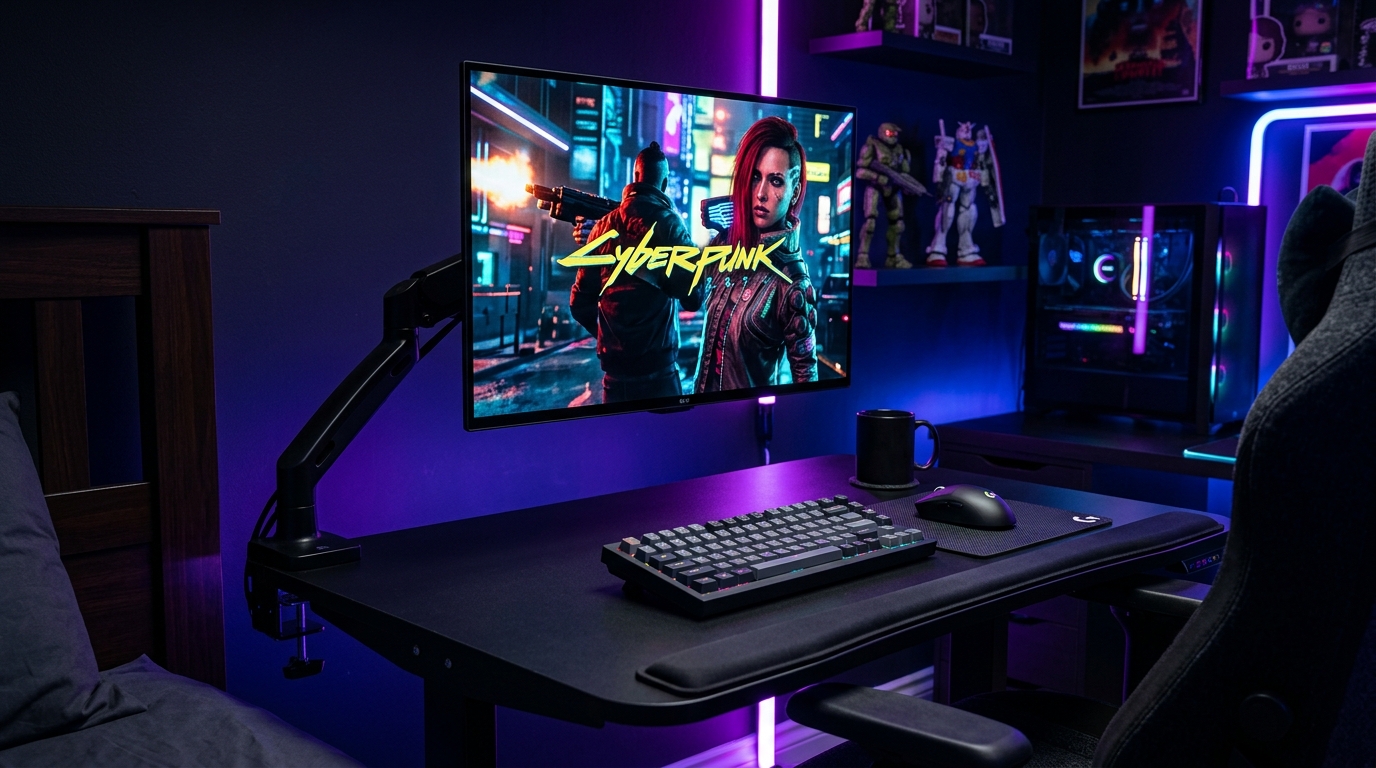
Gaming from bed works if you solve three problems: monitor placement, keyboard and mouse support, and heat management. This guide covers all three. Total cost for a full PC gaming setup from bed is $680.
We may earn a commission if you buy through our links.
Monitor Placement
This is the biggest decision in a bed gaming setup. You have two options.
Option 1: Bed frame monitor arm ($89). A Monitor Arm Clamp for Bed Frame clamps to the headboard or side rail. It positions the screen at eye level whether you’re sitting upright or propped against pillows. The arm swings out of the way when not in use. Check that the clamp fits your bed frame thickness before ordering.
Option 2: TV tray or adjustable table. A rolling TV tray with a tilting surface costs $25 to $40. It sits beside the bed and holds a small monitor at height. Less flexible than an arm but far cheaper.
The LG 27GS95QE 27-inch OLED Monitor ($649) is the top pick for this setup. The 27-inch OLED panel with 240Hz refresh is the best gaming display at this size. If the budget is limited, a 24-inch 1080p monitor at $120 works fine. The arm matters more than the monitor model.
Keyboard and Mouse in Bed
The Lap Desk with Wrist Rest ($45) is the foundation. Look for a model with a firm bottom surface. Fabric tops make mouse tracking inconsistent. A hard plastic or coated wood top gives clean mouse movement.
The Keychron V6 Max Wireless Keyboard ($109) connects via Bluetooth. No cable to manage. The full-size layout fits most lap desks. If space is tight, the Keychron V3 Max in 75% layout saves room.
The Logitech G PRO X Superlight 2 DEX ($159) is an ultralight wireless gaming mouse at 60 grams. The lighter the mouse, the easier it is to control on a lap desk. Heavy gaming mice with lots of buttons are harder to use on an unstable surface. Go light.
Heat Management for Laptops
A laptop on a lap desk blocks its own vents. Heat builds fast. This will throttle performance and shorten the laptop’s life over time.
Use a lap desk with a raised rear section. This lifts the laptop rear slightly and allows airflow under the chassis. Alternatively, prop the rear of the laptop on a thin book or a small folding stand. Avoid fabric lap desks entirely when running a gaming laptop.
A small USB-powered fan placed at the rear of the laptop helps during extended sessions. A $15 clip-on fan is enough. Check the laptop’s exhaust location before buying. Rear-exhaust laptops need clearance at the back. Side-exhaust models need side clearance.
Console Gaming from Bed
Console gaming is easier. A PS5 or Xbox controller eliminates the keyboard and mouse entirely. You still need the monitor arm or TV tray for the display. Run an HDMI cable from the console to the monitor and a USB-C cable for power to the display. Keep the console on a nightstand or the floor, not on the bed.
Use the console in rest mode, not full power-off, to keep the controller charged via USB. Run cables along the bed frame with adhesive cable clips. This keeps them off the mattress.
Wireless is Non-Negotiable
A bed gaming setup with cables is frustrating. Everything needs to be wireless or have very short cables managed tightly. The keyboard, mouse, controller, and headset should all be wireless. The only cables on the bed should be the monitor power cable and the HDMI or display cable from the monitor arm. Keep those routed along the wall.
Honest Limitations
Gaming from bed is not as comfortable as a desk for long sessions. Your back will tell you after two hours. Sitting against a headboard with a pillow behind you is the best position. Lying flat and looking at a monitor arm overhead strains the neck quickly.
This setup is best for casual sessions, traveling, or setups in rooms without desk space. For daily competitive gaming, a proper desk is still the better option.