Best Monitor Light Bars in 2026: BenQ vs. Baseus vs. Xiaomi
The best monitor light bars in 2026 compared. BenQ ScreenBar, ScreenBar Halo, Baseus, and Xiaomi options tested for brightness, glare, and build quality.
We may earn a commission if you buy through our links.
What to Look For
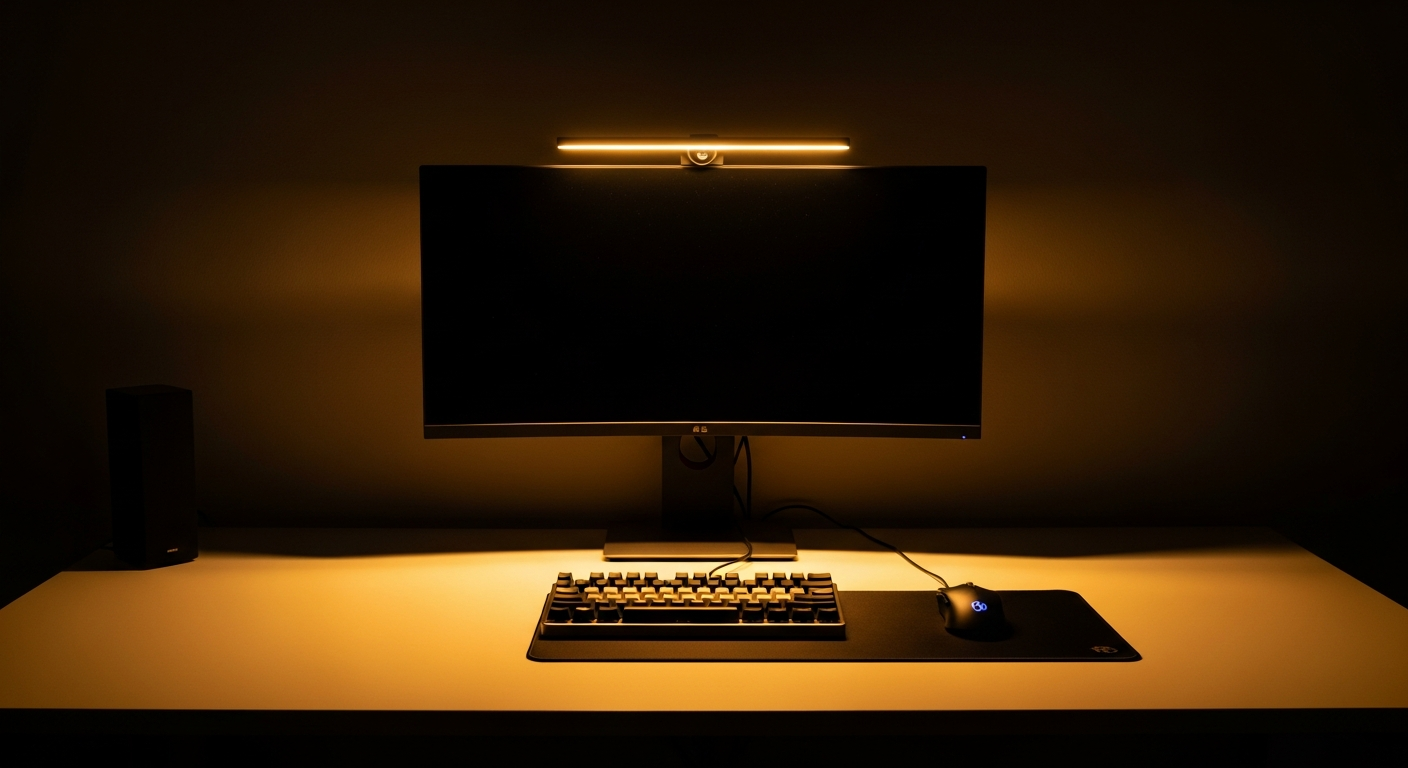
A monitor light bar does one thing: illuminates your desk without creating glare on your screen. The key is optics. A standard desk lamp aimed at your workspace will also illuminate the keyboard, but it will reflect off the screen. A well-designed monitor light bar uses an asymmetric lens to direct light forward and down, not backward.
Here’s what separates good options from bad ones:
Glare control is the most important factor. If the light bar creates a visible reflection on your screen, it defeats the purpose. Cheap options skip the asymmetric optic and create exactly this problem.
Brightness range determines how useful the light is. A bar that only goes bright enough for daytime use won’t work in a dark room at night. Look for a range that goes dim enough to use comfortably at midnight.
Color temperature range matters for eye comfort. 2700K is warm and easy on the eyes in the evening. 6500K is cool daylight-matching light, better for detail work. Most bars sit somewhere in between. The ability to adjust temperature is a meaningful feature.
Price spans from $20 to $180. The difference is real. Cheap bars often flicker, have narrow temperature ranges, and reflect onto screens.
Best Overall: BenQ ScreenBar
The BenQ ScreenBar is the standard. It’s been the most recommended monitor light bar for years. The asymmetric optical design directs all light forward, illuminating the desk without touching the screen surface.
Brightness range: up to 1000 lux at desk level. Color temperature: 2700K to 6500K. The auto-dimming sensor reads ambient light and adjusts to match. Touch controls sit on the end of the bar.
It clips to any monitor with a bezel up to 1.2 inches thick without tools. Setup takes under two minutes. The USB-A power cable connects to a port on the monitor or a hub.
At $109, it costs more than budget alternatives. The difference shows. There’s no flicker. The screen stays completely reflection-free. The auto-dimming is accurate and eliminates manual adjustment.
Best with Bias Lighting: BenQ ScreenBar Halo
The BenQ ScreenBar Halo adds a rear-facing LED panel to the standard ScreenBar formula. The front panel works identically to the ScreenBar. The rear panel emits a diffuse glow that illuminates the wall behind the monitor.
This rear glow is bias lighting: a soft light source behind the screen that reduces the contrast between the bright display and the dark room behind it. That contrast is a major source of eye fatigue during evening use. The Halo addresses it directly.
A wireless controller sits on the desk and handles brightness and color temperature for both the front and rear panels. The rear glow is fixed in color but adjustable in intensity.
At $179, it’s $70 more than the standard ScreenBar. The extra cost is worth it if you use your desk setup in a dark room for long sessions. For well-lit rooms or daytime-only use, the standard ScreenBar is sufficient.
Best with Physical Remote: BenQ ScreenBar Plus
The BenQ ScreenBar Plus is the standard ScreenBar with a wired desk controller replacing the touch controls on the bar. The controller sits on the desk and includes a dial for brightness and a button for temperature cycling.
For people who prefer tactile controls over reaching up to touch a bar, the Plus is a direct upgrade. The optics and LED specs are identical to the standard ScreenBar.
At $129, it’s $20 more than the base ScreenBar. If you adjust brightness frequently throughout the day, the desk remote pays for itself in convenience.
Best Budget Pick: Baseus i-Wok
The Baseus i-Wok is the best-performing budget option. It uses a stepless dimming dial on the base of the clamp, which is more intuitive than touch controls. Brightness and color temperature are both adjustable.
The optic design is asymmetric but less refined than BenQ. In testing, some light scatter reaches the screen on glossy displays. On matte monitors, it performs well at the price. Brightness tops out lower than the ScreenBar.
At around $30-40, it’s a real option for a budget setup. It outperforms no-name alternatives at a similar price and is a good starting point before upgrading to a BenQ.
Best Budget Alternative: Xiaomi Mi Computer Monitor Light
The Xiaomi Mi Computer Monitor Light follows a similar design to the ScreenBar at a lower price. It features a touch control bar on the unit and a 1800K to 4000K color temperature range, which is narrower than BenQ but covers the most-used evening and daytime positions.
USB-C power input is a practical detail. Build quality is solid for the price. The clamp fits flat monitors securely. Glare control is decent on matte screens, less impressive on glossy panels.
At around $35-45, it’s a credible alternative to the Baseus. The choice between the two comes down to availability and whether the narrower color temperature range suits your needs.
Bottom Line
If you want the best result, buy the BenQ ScreenBar. Use your setup in a dark room for long sessions? Upgrade to the ScreenBar Halo. Prefer physical controls? The ScreenBar Plus solves that. Working on a tighter budget? The Baseus i-Wok and Xiaomi Mi Monitor Light both deliver acceptable performance at a third of the price. Avoid unbranded options: the optics are usually poor, and screen glare makes them counterproductive.
Frequently Asked Questions
- What is a monitor light bar?
- A monitor light bar sits on top of your monitor and illuminates your desk surface. Unlike desk lamps, it's positioned to light your keyboard and documents without shining directly into your eyes or creating reflective glare on your screen.
- Is the BenQ ScreenBar worth the price?
- Yes. The ScreenBar's asymmetric optical design directs light down and forward, not back at the screen. Cheaper monitor light bars often create screen glare. The ScreenBar's auto-dimming sensor and zero-flicker LED panel make it the most comfortable desk light available.
- Can a monitor light bar replace a desk lamp?
- For desk use, yes. A monitor light bar provides enough illumination for keyboard, mouse, and documents. It won't light a whole room. For evening work, a combination of a monitor light bar and a bias light behind the monitor (like the ScreenBar Halo's rear glow) is the most ergonomic setup.
- Do monitor light bars work on curved monitors?
- Most monitor light bars are designed for flat monitors and use a clip that hooks over the top edge. BenQ offers a curved monitor version of the ScreenBar. On lightly curved monitors, standard bars often work fine. On monitors with more than 1000R curvature, check compatibility before buying.