Best Wireless Mechanical Keyboards in 2026: No Lag, No Compromise
The best wireless mechanical keyboards in 2026, tested for connection stability, battery life, and typing feel. Top pick: Keychron Q1 Pro.
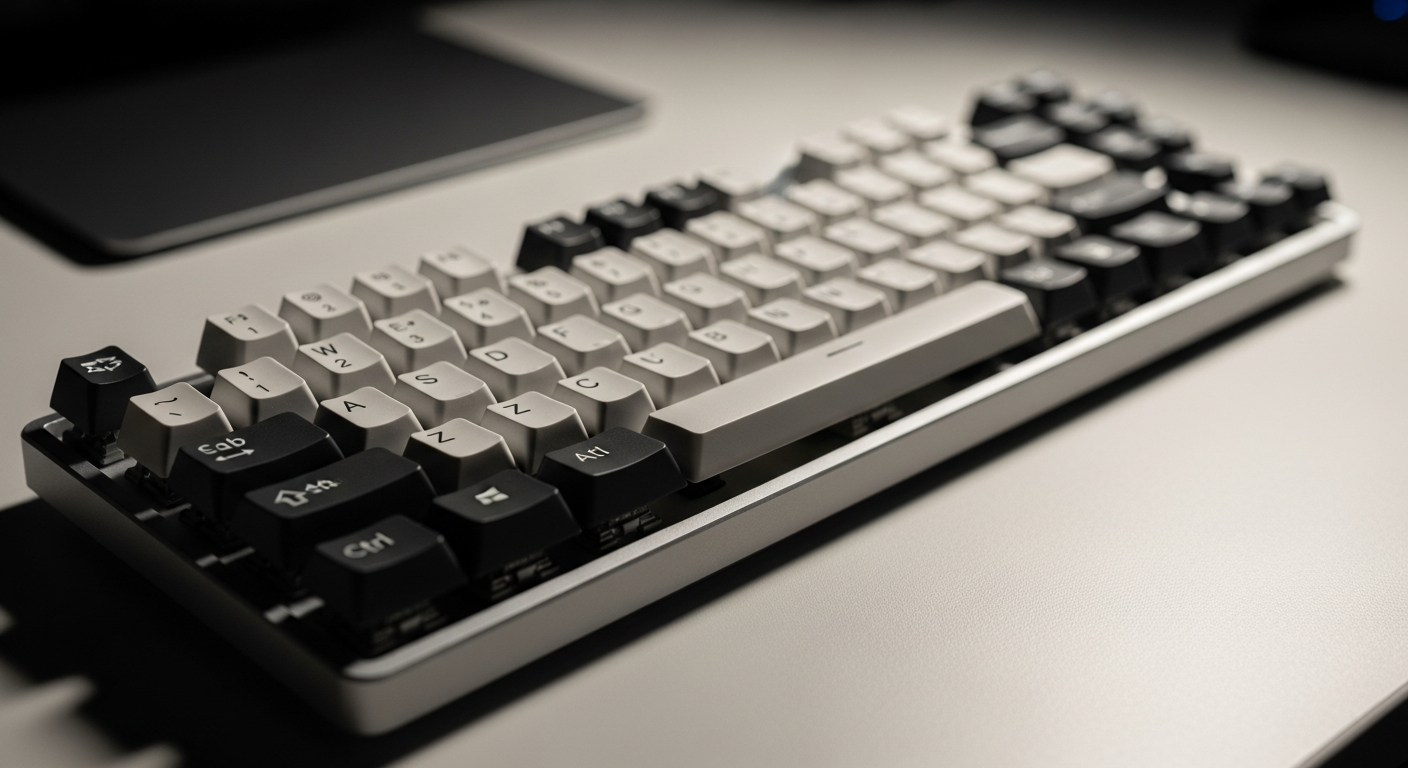
Quick picks: Best overall: Keychron Q1 Pro | Best compact: NuPhy Air75 V2 | Best for productivity: Logitech MX Keys S | Best budget: Keychron K8 Pro | Best for aesthetics: Lofree Block
We may earn a commission if you buy through our links.
What to Look For
Bluetooth vs. 2.4GHz
Wireless keyboards use one of two connection types. Bluetooth pairs directly to your computer, phone, or tablet with no dongle required. Most Bluetooth keyboards support pairing to three or more devices simultaneously. Switching between your laptop and phone takes one keypress. The tradeoff is slightly higher and less consistent latency.
2.4GHz wireless uses a USB dongle that plugs into your computer. The latency is lower and more stable than Bluetooth. It’s the better choice for gaming. The limitation is that the dongle is paired to one receiver. Switching between devices requires physically moving the dongle.
The best wireless keyboards offer both. Tri-mode boards connect via USB cable, 2.4GHz dongle, and Bluetooth. This covers every use case in a single board.
Battery Life
Battery life varies significantly by keyboard design. Boards with RGB backlighting enabled drain fastest: typically 20-50 hours per charge. With backlighting off, the same board may last several weeks.
Some keyboards use built-in lithium batteries charged via USB-C. Others use AA batteries that last months. AA batteries add weight but remove the need to remember charging. Consider your workflow. A keyboard you leave on your desk benefits from USB-C charging. A keyboard you travel with may prefer AA batteries.
Connectivity Modes
Check how many Bluetooth devices a keyboard can store. Most store three profiles. Some store five. If you work across a laptop, desktop, and tablet, five profiles give you flexibility without reprogramming.
Also check the 2.4GHz dongle size. Some dongles are full-size and easy to lose. Others are nano-sized and sit flush in the USB port. Keyboards that include a dongle storage slot in the base are worth the small premium.
Keychron Q1 Pro
The Keychron Q1 Pro is the best wireless mechanical keyboard overall. The aluminum frame and gasket mount give it a typing quality that most wired keyboards at this price don’t match. Tri-mode connectivity (USB-C, 2.4GHz, Bluetooth 5.1) covers every scenario.
The volume knob on the top right is a practical addition for a desk setup. The hot-swap PCB lets you change switches without soldering. Battery life is rated at 4000mAh, giving around 300 hours with backlighting off.
At $199, it’s not cheap. The weight (1.7 kg) limits portability. But for a desk-bound wireless keyboard that also types well, nothing in this class matches it.
NuPhy Air75 V2
The NuPhy Air75 V2 is the best compact wireless mechanical keyboard. It uses low-profile switches in a 75% layout. The aluminum top plate feels solid. The slim profile means no wrist rest is needed at most desk heights.
Tri-mode connectivity is included. The 2.4GHz dongle fits in a slot on the underside of the keyboard. Battery life is around 50 hours with backlighting on, longer with it off. The typing feel is lighter than standard-height keyboards. Low-profile switches have shorter travel and softer actuation.
At around $120, it sits between budget and mid-range. The value is strong. The only real limitation is the low-profile feel, which is genuinely different from standard boards. If you’ve never used low-profile switches, order a tester set first.
Logitech MX Keys S
The Logitech MX Keys S is the best wireless keyboard for office and productivity work. It uses Logitech’s scissor-switch design rather than traditional mechanical switches. The keys are low-profile with a smooth, quiet actuation. The sound profile is appropriate for meetings and open offices.
It pairs to three devices over Bluetooth. Easy-Switch buttons on the top right let you jump between devices instantly. Battery life is 10 days with backlighting on or five months with it off. The smart backlighting adjusts based on ambient light and your typing speed.
It’s not a traditional mechanical keyboard. Typists who want the tactile bump and sound of mechanical switches won’t find it here. But for clean desk setups where typing noise matters, it’s the most practical choice.
Keychron K8 Pro
The Keychron K8 Pro is the best budget wireless mechanical keyboard. It’s a TKL layout (87 keys) with tri-mode connectivity and hot-swap sockets. The plastic frame is less premium than the Q series, but the typing feel is solid for the price.
It ships with Gateron G Pro switches in red, brown, or blue. The south-facing LEDs limit RGB compatibility with certain switches, but basic backlighting works well. At around $90, it’s the most capable wireless mechanical keyboard under $100.
The battery is rated at 4000mAh. With backlighting off, it lasts for weeks. If you want to test wireless mechanical typing without committing to a $200 board, the K8 Pro is the right entry point.
Lofree Block
The Lofree Block stands out for its aesthetic. The circular keycaps and retro styling make it one of the most distinctive keyboards on the market. It uses Gateron mechanical switches in a full-size layout with Bluetooth 5.0 connectivity.
Battery life is around 4000mAh. The typing feel is satisfying: the keycap shape is unusual but the actuation is standard Gateron. It’s one Bluetooth profile only, with no 2.4GHz dongle option.
It’s the right pick for a desk that’s also a visual statement. It’s not the choice for competitive gaming or productivity work where switching between devices frequently is required.
Bottom Line
The Keychron Q1 Pro is the best wireless mechanical keyboard you can buy. The build quality, connectivity options, and typing feel justify the price. Choose the NuPhy Air75 V2 for a compact, slim wireless board under $120. The MX Keys S is the right pick for office use where quiet typing matters more than mechanical feel. Buy the K8 Pro as your first wireless mechanical keyboard under $100. And choose the Lofree Block if desk aesthetics are part of your criteria.
Frequently Asked Questions
- Is there any lag with wireless mechanical keyboards?
- With quality Bluetooth 5.0 or 2.4GHz wireless keyboards, lag is imperceptible in daily typing. For competitive gaming, a 2.4GHz connection is preferred over Bluetooth since it has lower and more consistent latency. Most wireless keyboards under $80 use Bluetooth only.
- How long does a wireless keyboard battery last?
- Most wireless mechanical keyboards last 20-100 hours on a single charge with backlighting on. With backlighting off, many last several weeks. Keyboards using AA batteries like the Logitech MX Keys last 5-10 months.
- Should I buy a Bluetooth or 2.4GHz wireless keyboard?
- Bluetooth is better if you switch between multiple devices frequently, since it pairs to several computers or phones. 2.4GHz (via USB dongle) is better for gaming or if you need the lowest possible latency on a single computer.
- What is tri-mode connectivity in a keyboard?
- Tri-mode keyboards connect via USB cable, 2.4GHz wireless dongle, and Bluetooth, giving you three options in one board. Keychron's Q and V series use tri-mode connectivity, making them versatile across devices.