Best Desk Setup for Programmers and Developers in 2026
The best desk setup for programmers and developers in 2026: monitors, keyboards, and ergonomics optimized for long coding sessions. With budget and premium builds.
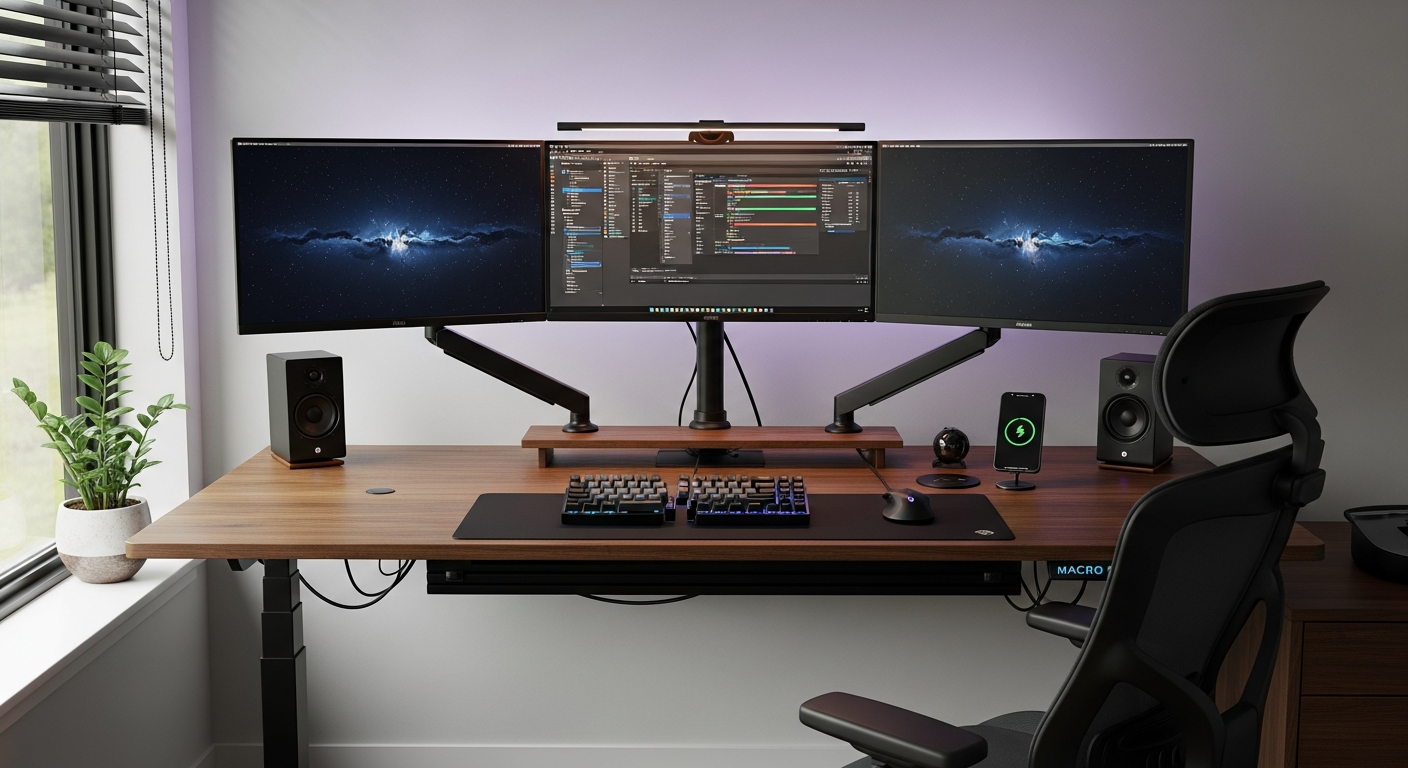
Programming is one of the most demanding desk activities. You type more than almost any other profession. You read small text for hours. You hold the same posture for long stretches. A setup optimized for coding isn’t just more comfortable. It reduces injury risk and extends the years you can work comfortably at a desk. Here’s what the best programmer setups have in common.
We may earn a commission if you buy through our links.
Monitor Choice: Ultrawide vs. Dual
The most debated question in developer setups. The answer depends on how you work.
A 34-inch ultrawide like the LG 34WP85C-B gives a single continuous canvas. Tiling a code editor and terminal side by side feels natural. There’s no bezel in the middle of your view. The downside: most productivity apps aren’t optimized for ultrawide aspect ratios. Some windows refuse to tile cleanly.
Dual 27-inch 1440p monitors give more total resolution and let you dedicate one screen to documentation, browser, or Slack while keeping your code on the other. The bezel in the middle is less intrusive than it sounds after a day of use. The Dell U2723DE on each arm is a popular dual-monitor developer combination, partly because its built-in USB-C hub eliminates most desk cables.
For a laptop-based workflow: a single 27-inch 1440p monitor as a primary display with the laptop screen to the side is the most practical arrangement. You get two screens without buying a second monitor.
Keyboard: Tactile Switches and the Keychron Q1 Pro
The Keychron Q1 Pro is the keyboard most often mentioned in developer communities, and for good reason. It’s gasket-mounted, which means the typing sound is softer and lower-pitched than most boards. It’s wireless via Bluetooth 5.1 and also works wired. It supports QMK and Via firmware, so you can remap every key. It comes with hot-swappable sockets, meaning you can change switches without soldering.
The default Gateron G Pro Brown switches are a good starting point: tactile without being loud. If you type more than you game, try Boba U4 or Holy Panda X switches for a quieter tactile feel.
If you have wrist pain, the ZSA Moonlander is worth the $365 price. Its split layout puts each hand in a natural position. The learning curve is real: expect two weeks before you return to normal typing speed.
For budget-conscious developers, the Keychron K2 Pro at $99 gives most of the Q1 Pro’s benefits at half the price. No gasket mount, but it’s still a solid wireless hot-swap board.
Standing Desk Benefits for Coding
Developers who switch to standing desks consistently report fewer afternoon energy crashes. Standing for 20-30 minutes per hour improves circulation and keeps focus sharper. The FlexiSpot E7 is the standard recommendation: dual-motor, stable at full height, and available with wide desk surfaces. The Uplift V2 Commercial is the premium option with better stability and a longer warranty.
The key to making a standing desk work: use it for the first hour of the day and after lunch. Those are the two periods when sitting fatigue is highest. Don’t stand all day. A Topo anti-fatigue mat from Ergodriven makes 30-minute standing intervals comfortable without requiring expensive mats.
A monitor arm is required on a standing desk. The monitor needs to stay at eye level whether you’re sitting or standing. The Ergotron LX is the reliable standard: strong hold, smooth adjustment, and available for single or dual configurations.
Ergonomic Chair
The chair is where developers underinvest most often. After 6 hours of sitting, a bad chair produces back pain that no standing desk can fix.
The Herman Miller Aeron in size B or C is the benchmark. It’s designed specifically for sitting postures, not general furniture comfort. The tilt mechanism encourages micro-movement throughout the day. A refurbished Aeron from a certified dealer costs $600-800 and lasts 10-15 years.
Under $500, the Branch Ergonomic Chair at $429 is the best option for developers who can’t justify the Aeron price. It has full adjustability, lumbar support, and a breathable mesh back that handles warm offices well.
Set up any chair correctly before judging it. Seat height, armrest height, and lumbar position all need adjustment for your specific body. Most people sit in chairs that are set up for someone else.
Lighting: BenQ ScreenBar
The BenQ ScreenBar sits on top of the monitor and projects light downward onto the desk. No glare on the screen. No second desk surface consumed. The light is bright enough for a dark room and has an adjustable color temperature for different times of day.
The BenQ ScreenBar Plus adds a desk-mounted dial controller for quick brightness and temperature adjustments without touching the monitor. It costs $40 more. If you work in a dark room frequently, it’s worth it.
Add bias lighting behind the monitor: an LED strip taped to the back edge of your monitor reduces the contrast between the bright screen and dark room. This reduces eye strain during late-night coding sessions. The Govee T2 bias light has an ambient mode that matches the screen content color.
Budget Build ($875)
| Item | Price |
|---|---|
| IKEA LAGKAPTEN 63-inch top + ALEX drawer + ADILS leg | $198 |
| Dell U2723DE 27-inch 1440p USB-C monitor | $429 |
| Keychron K2 Pro 75% keyboard | $99 |
| Logitech MX Master 3S mouse | $99 |
| BenQ ScreenBar | $63 |
| Desk mat | $25 |
| Under-desk cable tray | $22 |
| Total | $935 |
Premium Build ($2,650)
| Item | Price |
|---|---|
| FlexiSpot E7 standing desk (72 x 30 in) | $649 |
| LG 34WP85C-B 34-inch 1440p ultrawide IPS | $799 |
| Ergotron LX monitor arm | $149 |
| Keychron Q1 Pro keyboard | $199 |
| Logitech MX Master 3S mouse | $99 |
| Herman Miller Aeron (size B, refurbished) | $699 |
| BenQ ScreenBar Plus | $109 |
| Desk mat (premium leather, 35 x 17 in) | $89 |
| Under-desk cable management kit | $39 |
| Total | $2,831 |
Bottom Line
Invest in the monitor and the chair first. Everything else is secondary. A good monitor reduces eye strain and keeps you in flow longer. A good chair prevents the back pain that forces you to stop. Build from those two outward.
Frequently Asked Questions
- What monitor is best for programming?
- A 34-inch ultrawide or two 27-inch 1440p monitors are the standard recommendations for programming. Ultrawides give a seamless split-screen view for code and terminal side by side. Dual monitors let you dedicate one screen to documentation or a browser while coding on the other.
- What keyboard is best for programming?
- A mechanical keyboard with tactile switches gives feedback that reduces fatigue during long typing sessions. The Keychron Q1 Pro is the most recommended keyboard in developer communities. The ZSA Moonlander is the top choice for those with wrist pain or repetitive strain injuries.
- How should I set up my monitor for programming?
- Position the top of the screen at eye level. Your eyes should land about one-third of the way down the screen when looking straight ahead. Use a dark editor theme to reduce eye strain. A monitor light bar gives task lighting without adding glare to the screen.
- What chair is best for long coding sessions?
- The Herman Miller Aeron is the benchmark for all-day sitting. The Branch Ergonomic Chair Pro is the best under $500. Whatever chair you choose, proper lumbar support and armrest height are more important than the brand. Set up the chair correctly before deciding whether it's comfortable.